
Wholesale line sheet maker
A wholesale line sheet buyers can read in one pass.
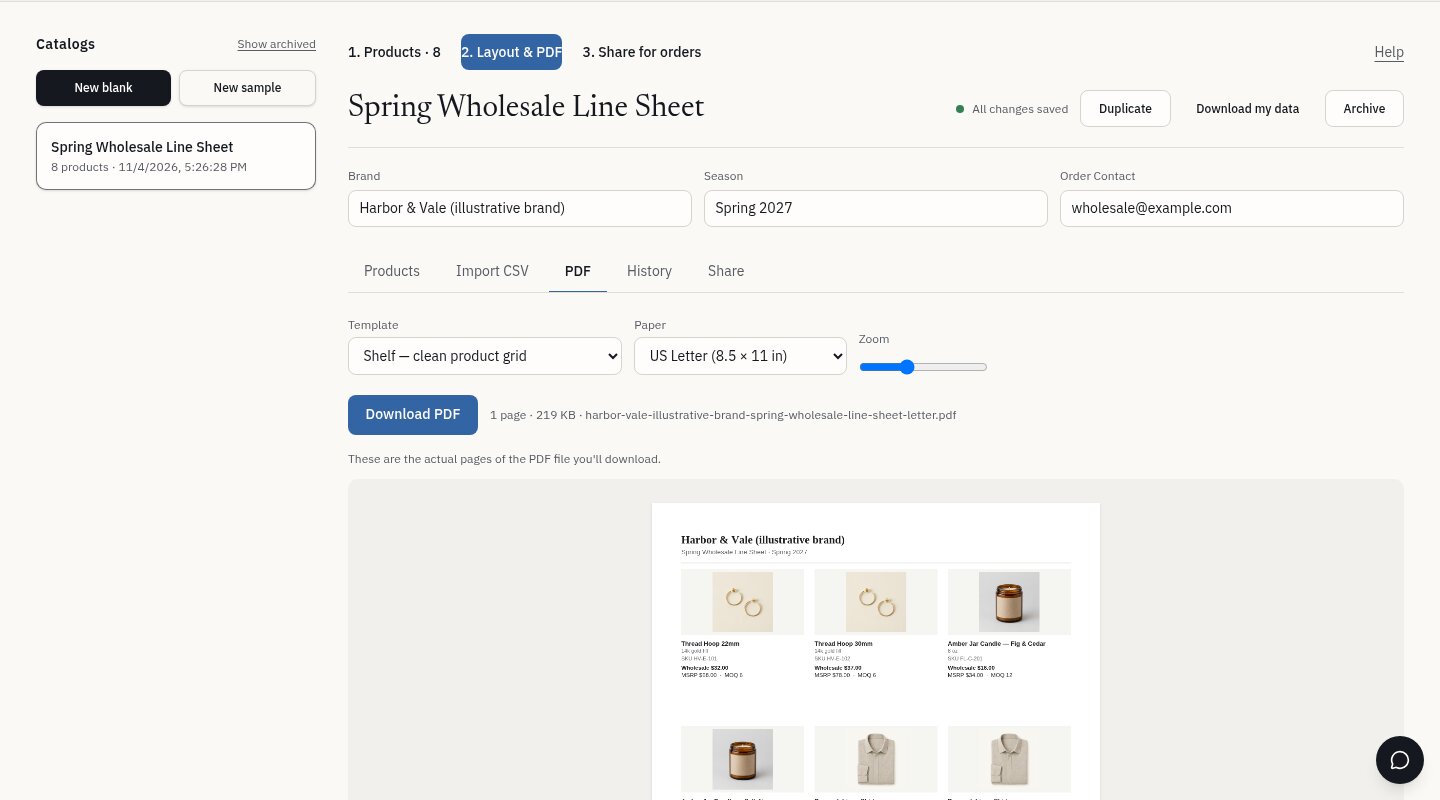
Import your products from a spreadsheet, pick a layout, and download a US Letter or A4 PDF. The preview shows the same pages the download contains, so what you check is what buyers get.
One-time demo, no account or card. Sample edits stay on your device.
What a line sheet is for
A line sheet is the short, factual document a retail buyer uses to decide what to order: product photo, name, SKU, wholesale price, suggested retail price (MSRP), and the minimum order quantity.
It is not a marketing brochure or an online store. A brochure tells your brand story; a storefront sells to shoppers at retail prices. A line sheet is a working document for trade buyers, and the fields it needs vary by category: an apparel brand lists sizes and colors, a food or beverage brand lists case packs and barcodes. Cloud Catalogue supports SKUs, variants, wholesale price, MSRP, minimums, case packs, size, color, barcode and lead time, and you only fill in the ones that apply to you.
A good line sheet is easy to scan and keeps one product per tile. Every price on it should match what you actually charge. Cloud Catalogue keeps those fields together in one product list and lays them out for you, so you don't rebuild pages when a price or photo changes.
Step by step
- 01
Prepare a CSV
One row per product: SKU, name, variant, category, wholesale price, retail price, MOQ, description and an image link (https://). You can export this from most spreadsheets.
- 02
Map and check
Match your columns to fields, then review the first rows and any errors (missing SKUs, invalid prices) before anything is imported.
- 03
Choose a layout
Three layouts: an editorial layout for jewelry and accessories, a clean product grid for CPG and beauty, and an apparel line sheet with variants and MOQ.
- 04
Preview and download
Check the real PDF pages at US Letter or A4, then download. Edits save automatically, and earlier versions stay in history.
Line sheet checklist
- Brand name, season and an order contact on the first page
- Clear product photo on a consistent background
- SKU and variant (size, color, finish) for every item
- Wholesale price and MSRP, both in USD
- Minimum order quantity or case pack where it applies
- Your terms (minimum order, lead time) stated plainly. Only include what you actually offer.
What it does not do
- It does not sync with Shopify or manage inventory.
- It does not take payments or send invoices.
- For a one-page sheet about a single product, use the separate Product Spotlight sell sheet.
Common questions
What's the difference between a line sheet and a catalog?
A line sheet is a compact, price-focused list for ordering. A catalog usually adds more imagery and storytelling. A sell sheet focuses on a single product. Atelier, Shelf and Rack cover catalogs and line sheets from the same product data.
Can I use my own spreadsheet?
Yes. Upload a CSV, map your columns to the product fields, and review errors before importing. A downloadable example CSV is available in the app.
Will the PDF match the preview?
Yes. The preview displays the actual PDF file that is downloaded, not a separate approximation.
Which paper sizes are supported?
US Letter (8.5 × 11 in) and A4.
Do I need an account?
Not for the one-time demo, which uses sample products. To build a line sheet from your own products and save it, create an account and choose a plan.
Choose one sample layout to try.
Related: Collect wholesale order requests from a private link